

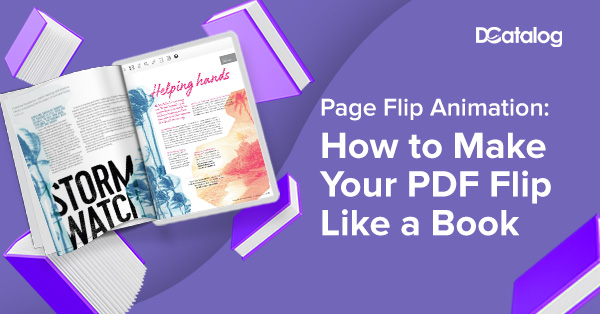
A static PDF file has many useful intentions. However, in this social media age, it makes sense that we are searching for a way to wow our audiences beyond traditional media. Within digital documents, such as PDF files, there lies the ability to add page flip animation to digital flipbooks and catalogs.
You may think that adding a page turning effect to your PDF requires too much of your time. However, this is a story that isn’t true. You can easily make a page turning PDF with the right digital publishing software.
In this blog, we will show you how to make a PDF flip like a book, so you can get the most out of your modern marketing collateral.
Can You Add Page Flip Animation to Your PDF?
A PDF (Portable Document File) is a static file format developed by Adobe. This type of document preserves the layout of the content, no matter how a user views it (whether on a desktop or smart phone). And while you cannot directly add the page turn effect in PDF by itself, you can actually achieve this through digital flipbooks that use HTML5.
Page flipping effects provide readers with an immersive experience. Users can browse a digital catalog and flip its pages in much the same way they would use a traditional print catalog. Additionally, flipbooks also support multimedia elements such as video clips, audio clips, GIF animations, and more. Interactivity helps boost engagement and communication between businesses and consumers.
Add Page Flipping Animations to Your PDF With DCatalog
If you would like to add flip animations to your PDF, DCatalog provides an innovative solution for converting PDFs into interactive flipbooks. Our intuitive page turning software makes it easy to keep your audience engaged, enhance marketing and sales efforts, or help you keep track of content performance.
Here’s how to add these flip animations to your PDF with DCatalog:
- Upload Your PDF: Start by signing up for a digital publishing account with DCatalog. We offer an amazing 7 day free trial so you can test it out for yourself! Once you have your account, upload your PDF file.
- Customize the Flipbook: Now that your page turning PDF is uploaded, it becomes a flippable book. Take it one step further and customize your flipbook. Add those interactive elements such as links, videos, and GIF animations.
- Publish and Share Your Flipbook: Preview the flipbook to make sure everything looks and functions as intended. Then, click on “Publish” to make your flipbook available on the DCatalog platform. Share the link by embedding it on your website or sharing through email marketing campaigns or social media platforms.
While the page flipping animations happen automatically once you upload your PDF, you also have continued control over the degree of page flip. You can exaggerate the page curls, or lessen them, depending on how you want your content to look and feel.
Benefits of Page Turn Animation
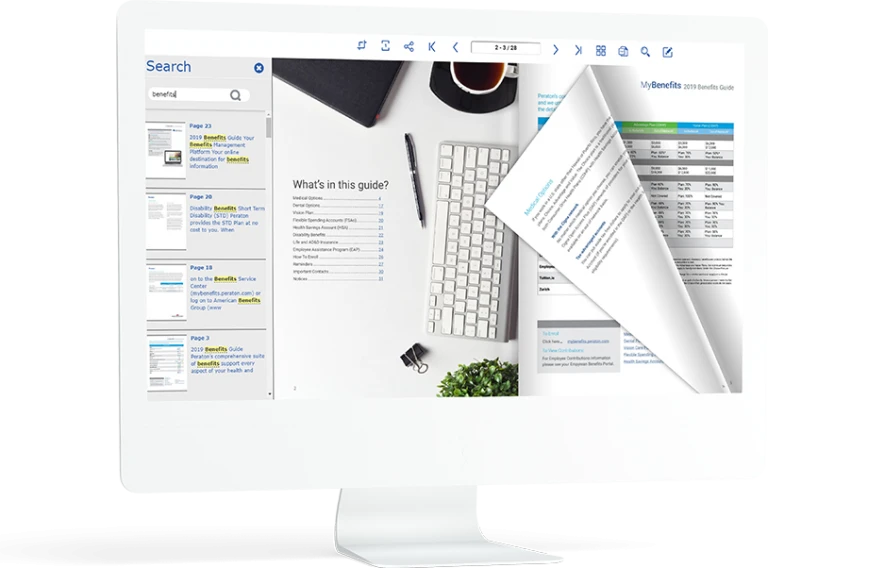
Page turn animation within digital flipbooks provide many benefits that enhance the user experience and engagement. A few of these key benefits are:
Enhanced User Experience
Page turning PDFs resemble traditional print book content, which offers a sense of familiarity to users. They can explore the digital flipbook in a way that feels comfortable and inviting. The interactive elements added within the flipbooks also help immerse readers in the content, which makes browsing more engaging.
Intuitive Navigation
DCatalog’s cutting-edge digital platform enables you to provide intuitive navigational elements, such as an expandable table of contents and keyword search, when you convert your PDF to a flipbook. But, in itself, the ability to flip pages with page turn transition animation provides its own intuitive experience. Visual cues within the flipbook consist of the page numbers or reveal the amount of pages total.
Aesthetic Appeal
Page flip animations provide a professional look and feel to the digital flipbook. They make the content look more credible as a usable document. Plus, incorporating page flip animations lends the digital flipbook a modern design and polished appearance, which is aesthetically pleasing.
Amplified Accessibility
Within digital flipbooks, page flip effects offer scalability. They are available across different screen sizes and across all devices, whether it’s a smartphone, a tablet, or a desktop. Also, DCatalog offers an ADA friendly platform, that allows users to turn on voice activated commands, which includes page flips.
Transform Your PDFs with Page Flip Animation Today
Converting your static PDF to a dynamic digital edition with page flip animations significantly improves user experience, engagement, and accessibility overall. It turns digital publications into valuable assets for businesses, whether big or small.
DCatalog’s innovative page turning software offers many tools and features that make it easy to create and design interactive digital content to provide your audience with an immersive experience in which they can participate and enjoy. Get started today with adding your own page flip animation to make your PDF flip like a book!